Step-by-step guide
How to join the Kingdom 3695 site
It takes about 2 minutes. Once leadership approves you, you get your Duck Coin wallet, the shop, MGE auctions, the ranking and the farm registry.
- You need: an email address
- a password (6+ characters)
- your Governor ID from the game
-
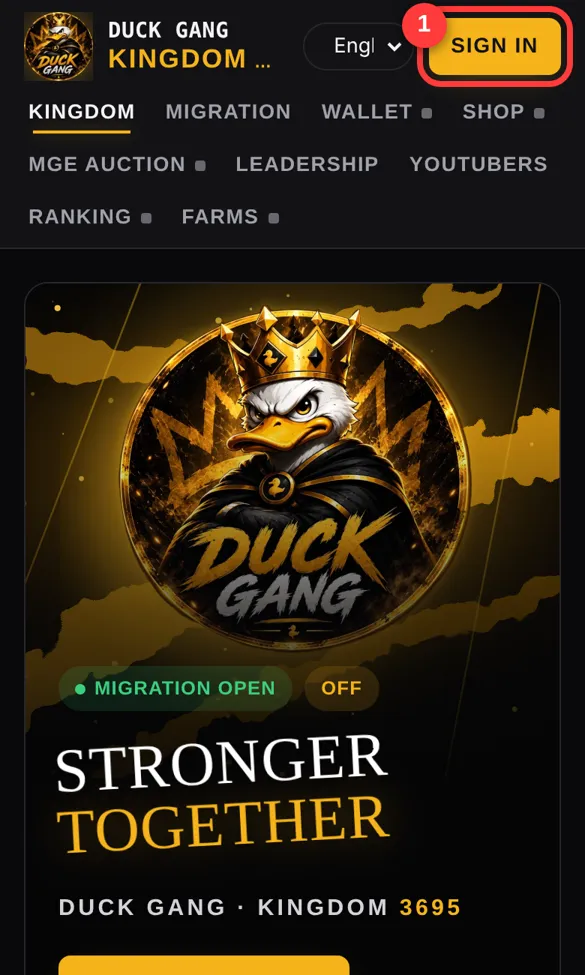
1Open the site and tap Sign in
Go to kingdom3695.com and tap the yellow SIGN IN button at the top 1.
If the page shows a "connection is not private" warning, use kingdom3695.netlify.app instead. It is the same site.
-
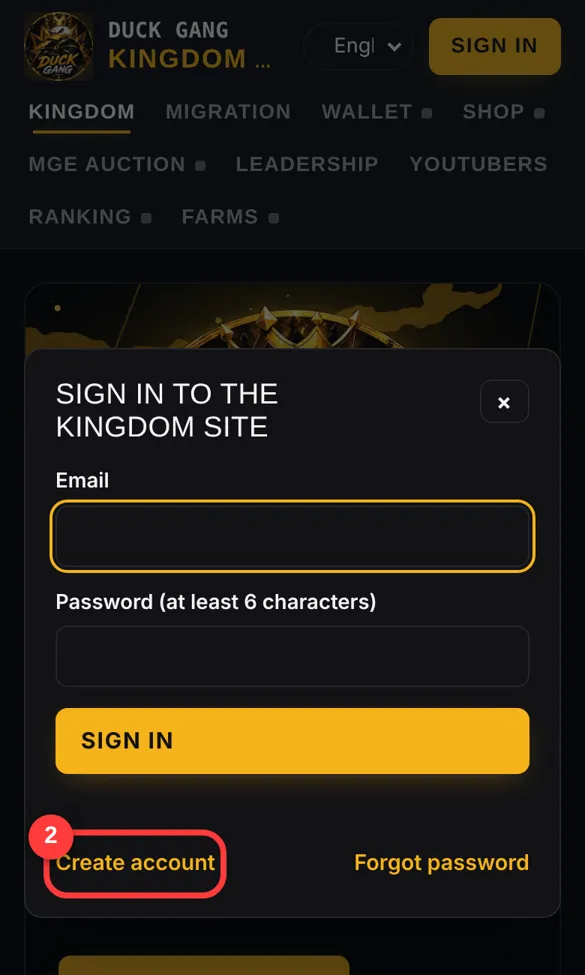
2Tap "Create account"
The first time, tap Create account 2 at the bottom of the window.
Already registered? Just type your email and password and tap SIGN IN.
-
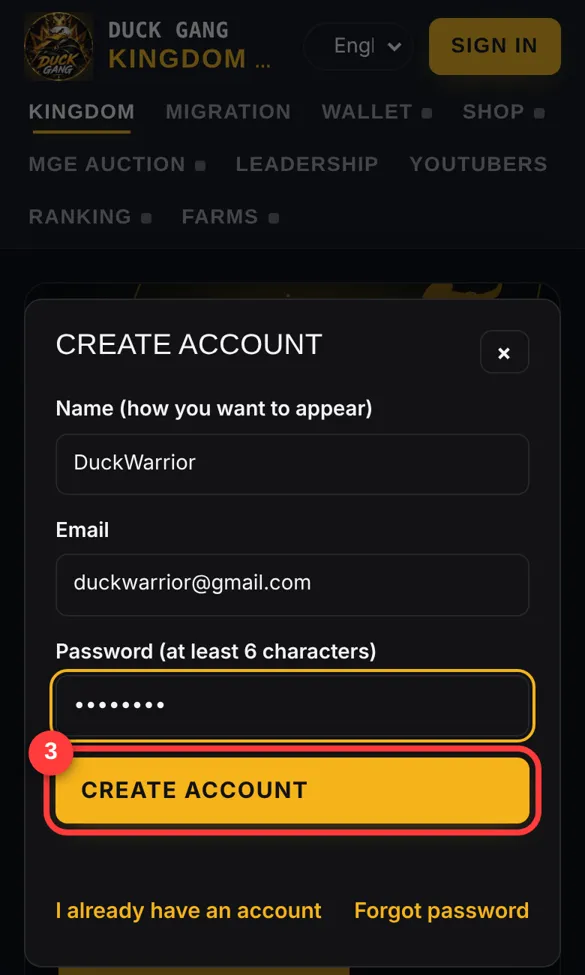
3Fill in your details
- Name: how you want to appear (your in-game nick is best).
- Email: an email you can open. It is used if you forget your password.
- Password: at least 6 characters.
Then tap CREATE ACCOUNT 3.
-
4Choose your time zone
Right after creating your account, the site asks for your time zone. It is required, because leadership uses it to schedule events at the right time for everyone.
Open the list 4a. Each option shows the current time in that zone, so pick the one that matches the clock on your phone. Then tap SAVE 4b.
You can change it later: tap the UTC± button at the top of the site.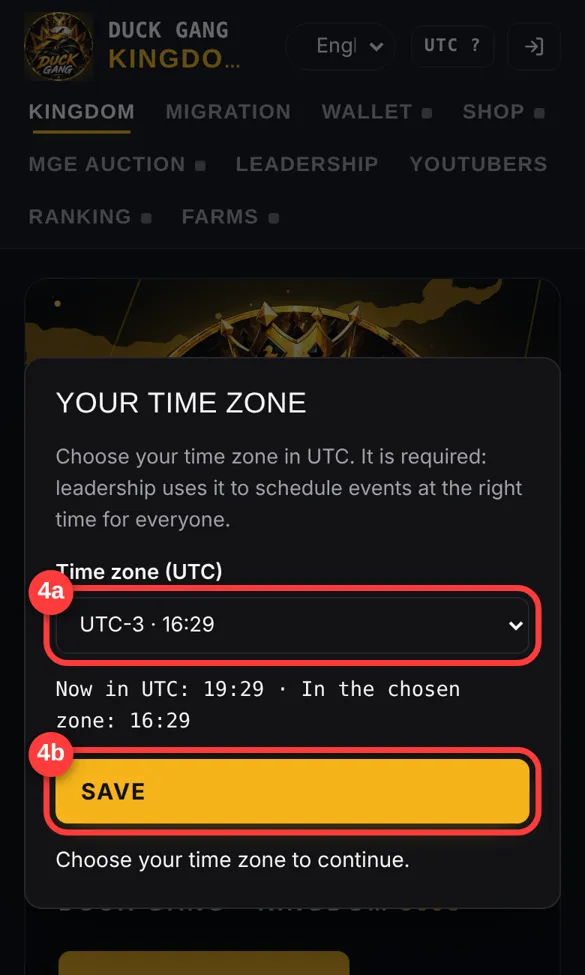
-
5Link your Governor ID
Find your ID in Rise of Kingdoms:
- Tap your governor avatar (top-left of the city screen).
- On your governor profile, find the number labelled ID next to your name.
- Tap the copy icon next to it, or just note the number.
Back on the site, open any members tab (for example WALLET). Paste or type your ID in Governor ID 5a and tap LINK 5b.
Use the number, not your nick. Each ID can be linked to only one account. If it says the ID is already taken, talk to leadership.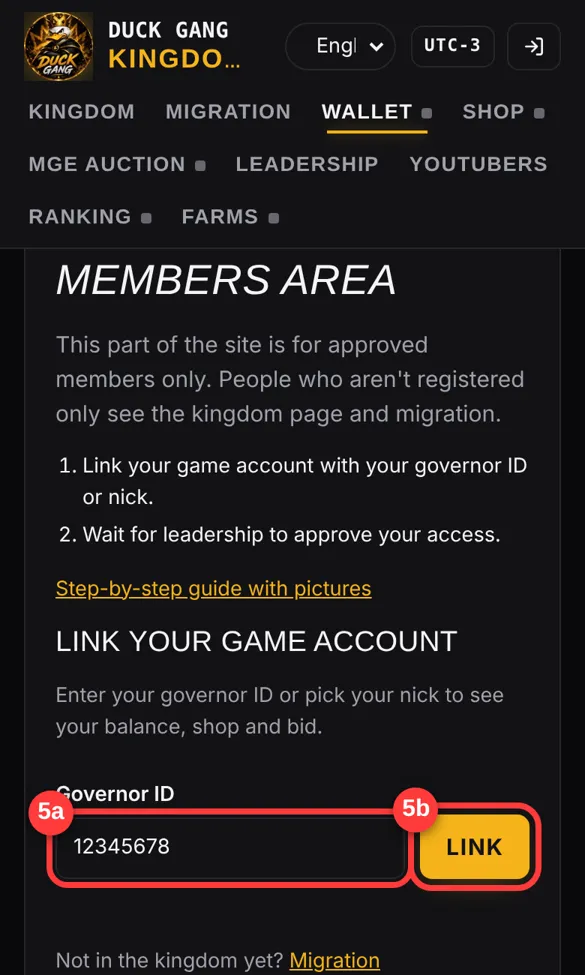
-
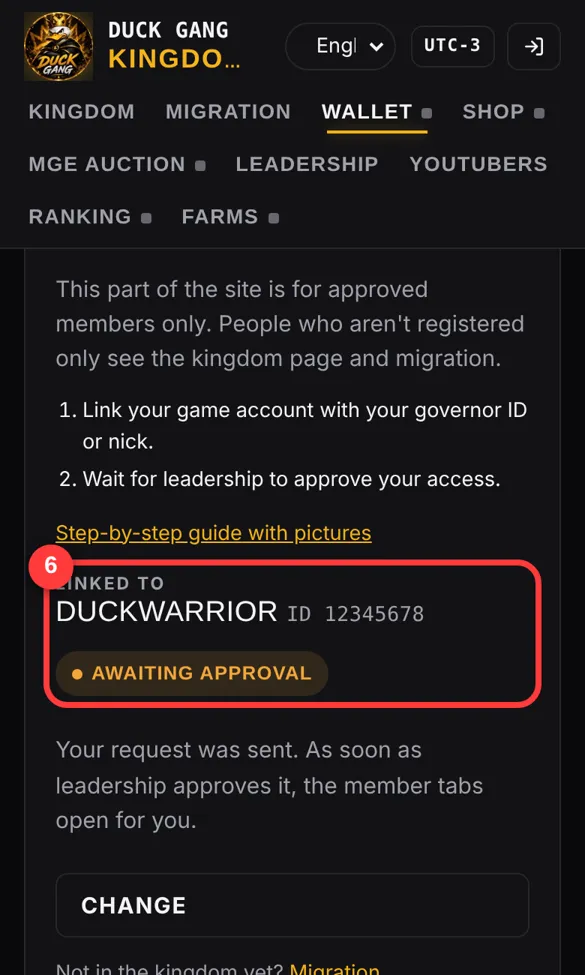
6Wait for approval
You will see your governor name with AWAITING APPROVAL 6. Leadership checks that the account is really yours and approves it.
Linked the wrong account? Tap CHANGE and enter the correct ID.
-
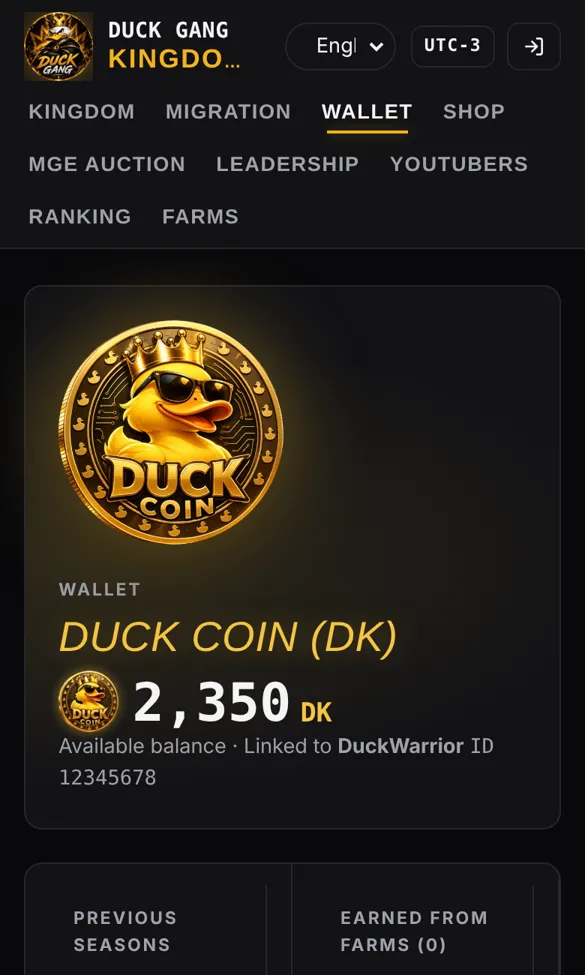
7You're in!
After approval, all tabs open: your Duck Coin wallet, the shop, MGE auctions, the ranking and farms.
Your wallet shows how many DK you have and how you earned them.
Questions
I forgot my password
Tap SIGN IN, then "Forgot password". Type your email and you will receive a link to create a new password. Check your spam folder too.
I used to sign in with Google
Google sign-in was removed. Tap SIGN IN, then "Forgot password", and type the same Gmail address you used before. You will get an email to create a password. Your account and data stay the same.
It says the ID is already linked to another account
Someone already linked that governor. Message leadership in game or on Discord and they will fix it.
How do I register my farm accounts?
After you are approved, open the FARMS tab and add each farm ID. Duck Coins earned by your farms go to your main account. See the farm guide.
Can I install the site like an app?
Yes. On Android (Chrome), open the menu ⋮ and tap "Add to Home screen". On iPhone (Safari), tap Share, then "Add to Home Screen".